
The controller is on the sofa, the charging cable has slipped behind a cushion, and the television is the first thing you notice when you walk in. You want a living room that makes gaming comfortable, but you also want it to feel welcoming when friends stop by or the screen stays off all evening. Those needs can fit in the same space.
The most useful living room decor ideas for gamers start with the room itself: seating you enjoy, storage you can reach, light you can adjust, and a few details that reflect the games you love. A walnut cabinet can hold hardware without shouting for attention. Framed artwork can reference your favorite worlds without taking over every wall.
These 19 ideas cover console play, a compact PC corner, shared couch sessions, and the everyday clutter between them. Choose the ones that address your room’s actual friction points, then build a look around what already works.
1. Choose a Ventilated Walnut Media Console
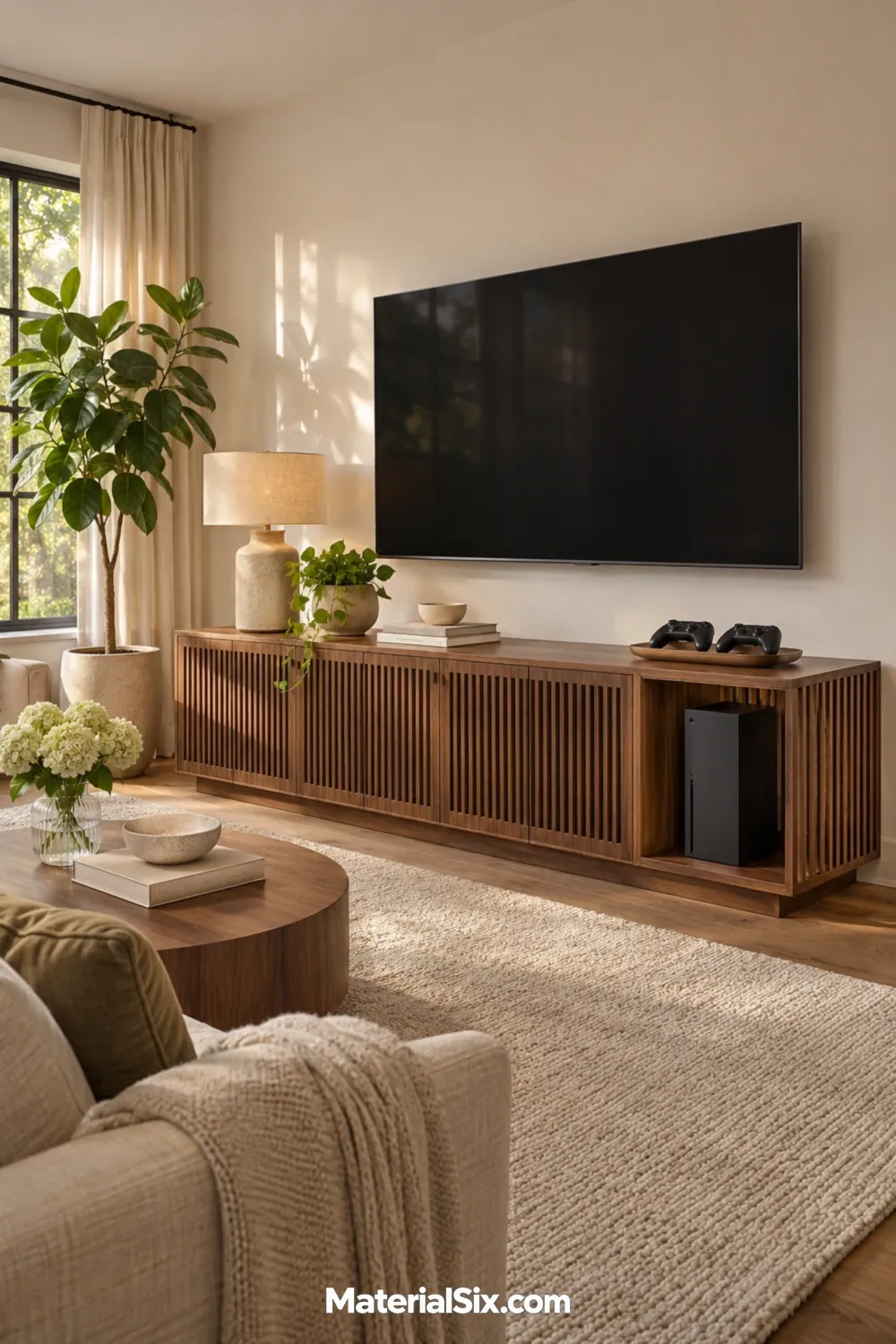
A long walnut console gives a large black screen a grounded base, while slatted fronts add texture without another decorative object. Choose a cabinet wider than your TV so the arrangement feels balanced, then reserve one accessible bay for the hardware you use most.
Measure the console, plugs, and cable bends before buying furniture. Decorative slats alone do not establish adequate airflow; follow the equipment manufacturer’s clearance instructions and keep vents unobstructed. Store spare controllers behind another door, and leave the top mostly clear. A lamp and one shallow tray give this gaming living room a quieter everyday appearance.
2. Give the TV Wall a Charcoal Backdrop
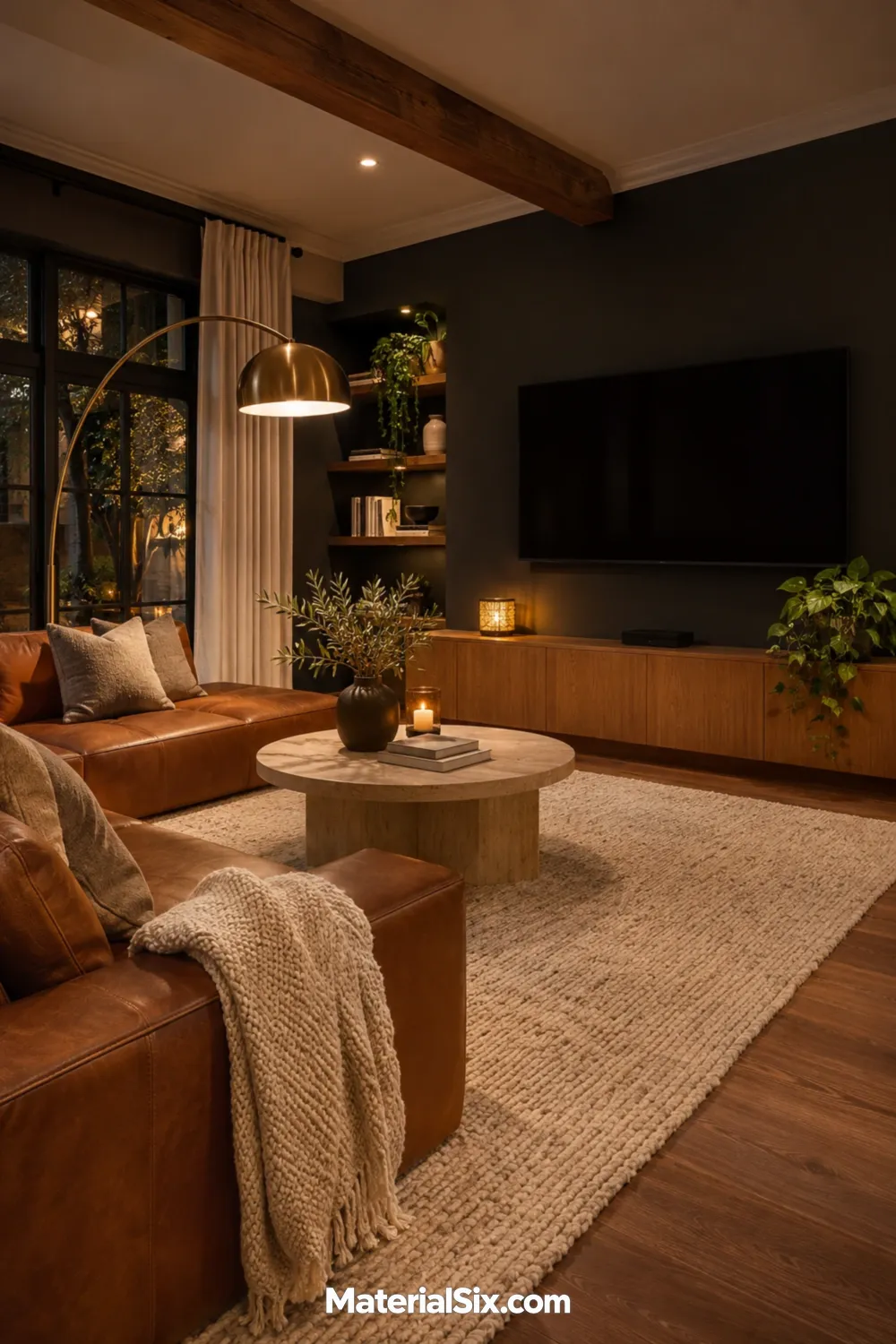
A charcoal wall lets a switched-off television blend into its surroundings, especially when the cabinet below has simple lines. Warm oak and cognac upholstery keep the dark paint from making the entire room feel heavy. You still get a strong focal wall, but the screen no longer reads as an isolated black rectangle.
Try a large paint sample beside the television and look at it in daylight and under your evening lamps. Charcoal can lean blue, brown, or green. Carry its undertone into a cushion or picture frame, and let the remaining walls stay lighter if your living room receives limited natural light.
3. Add a Soft Bias Glow Behind the Screen
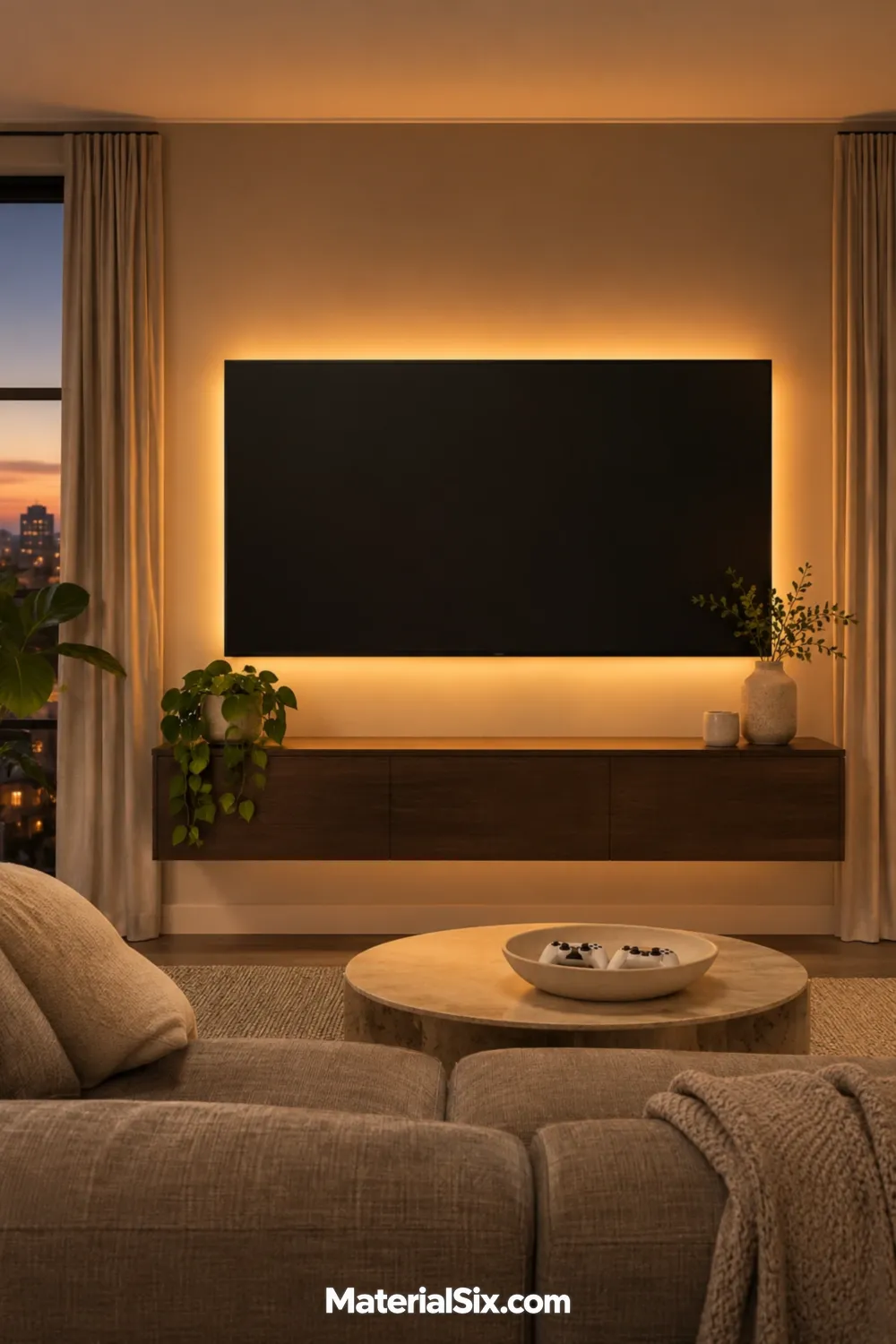
That soft halo behind a TV can supply the gaming mood without making every corner glow. Warm amber suits walnut and linen, while a restrained neutral white works with cooler furnishings. Keep the light source concealed so you see an even wash on the wall rather than individual LED points.
Start with a dim setting and adjust it while seated, using your usual screen settings. Strong colored light can change how the picture appears, so choose the effect you actually enjoy during play. Route the power cable along the TV’s existing cable path. A separate lamp nearby helps the room feel layered when the television is off.
4. Frame Game-Inspired Art Like a Gallery
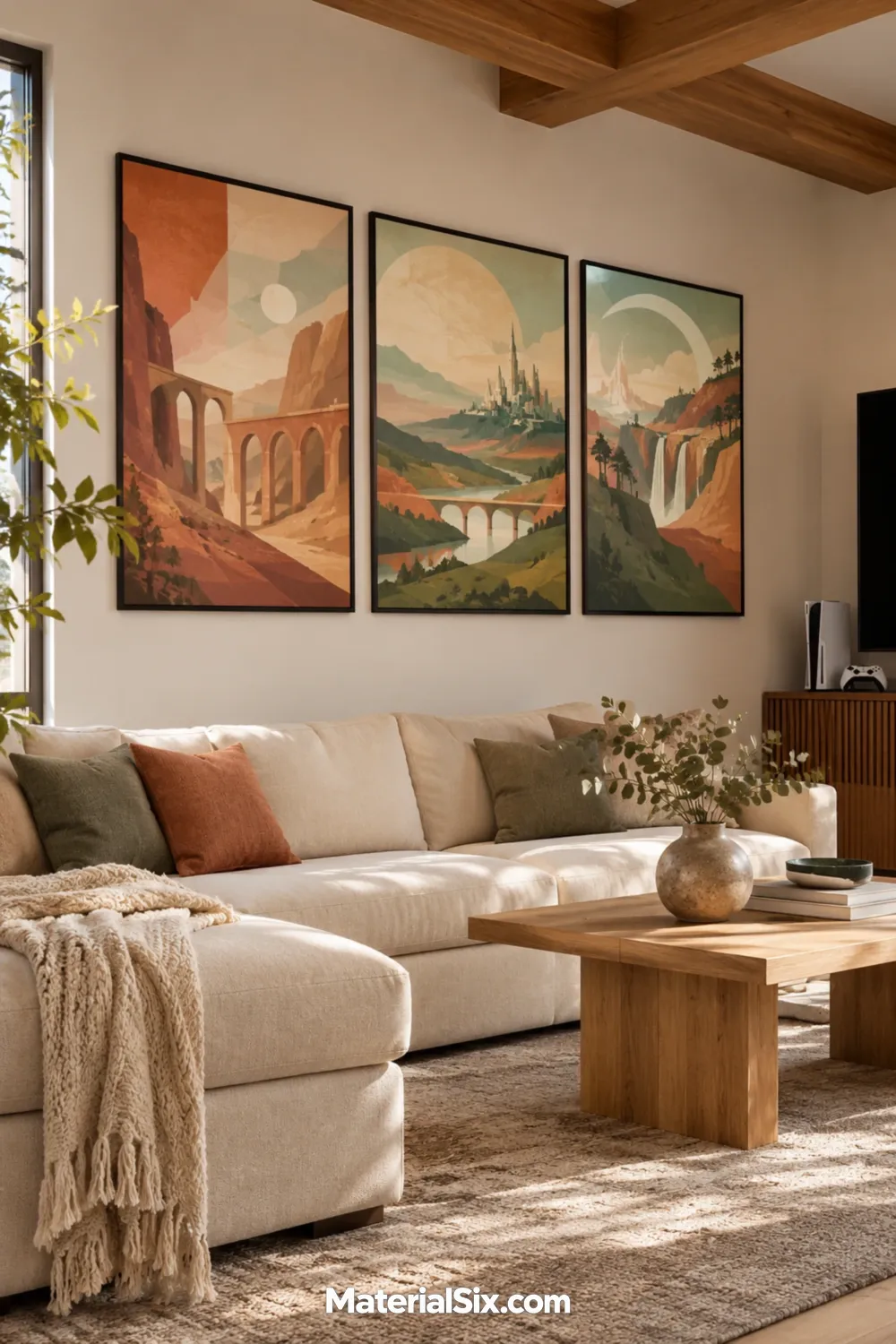
Give a favorite gaming world the same treatment you would give landscape photography: substantial frames, consistent spacing, and a palette that relates to your sofa. Abstract terrain, architectural silhouettes, or original pixel-inspired compositions can communicate the interest without covering the wall in busy graphics.
Lay the frames on the floor first to check the grouping’s width against the furniture below. Matching mats create continuity even when the artwork varies. Choose prints from an authorized source, and keep the collection to one wall so it has room to register. Pull a muted color from the art into a cushion or throw for an intentional connection.
5. Make One Display Shelf Tell the Story
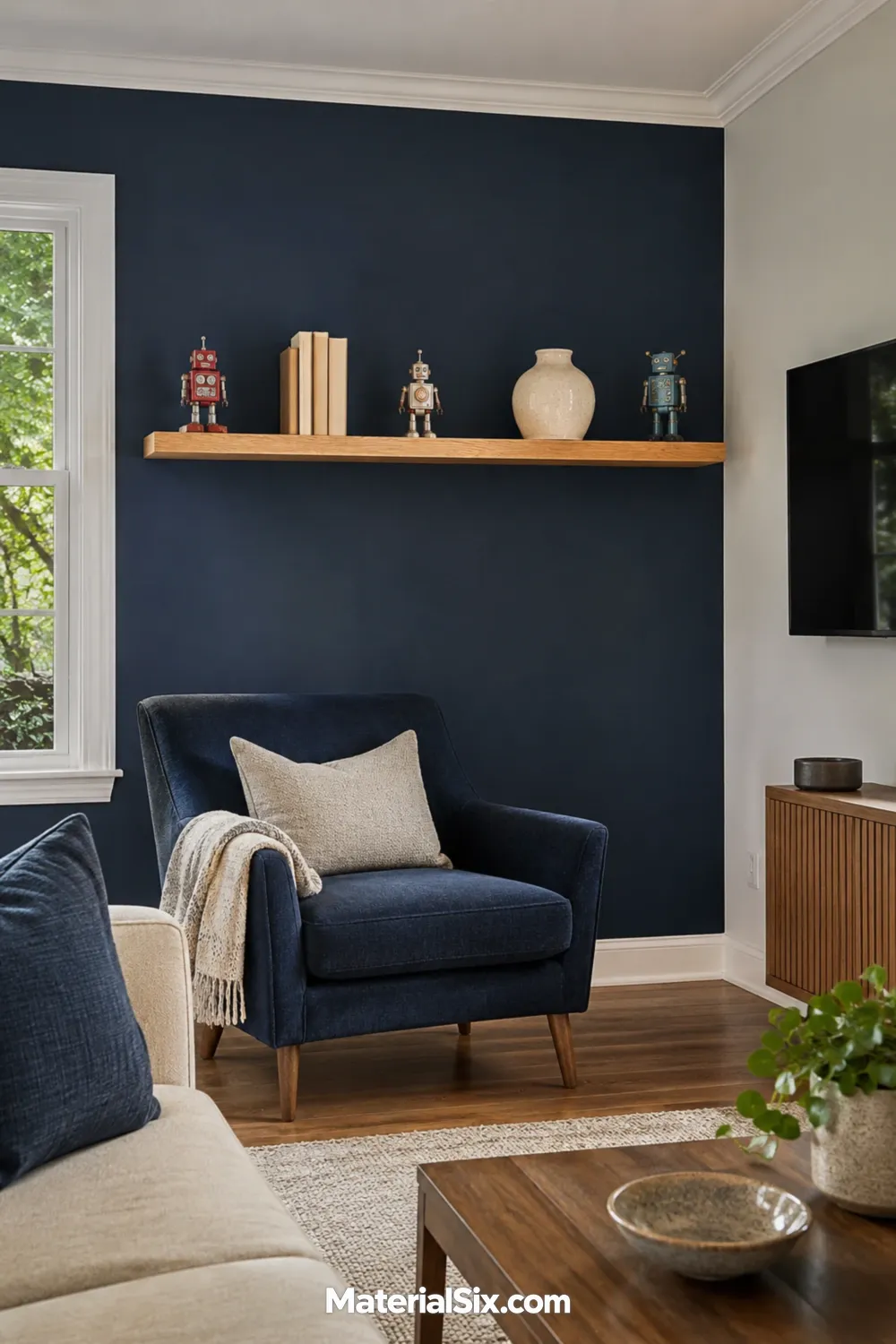
A shelf of a few well-chosen collectibles can feel more personal than an entire wall packed edge to edge. Give each figure breathing room, then add plain books or a ceramic piece to vary the shapes. The empty space makes the display easier to read from the sofa.
Edit by theme, scale, or color instead of displaying everything you own at once. You can rotate pieces when your interests change without purchasing more shelving. Check the shelf’s load rating and mount it for your wall type. For very small objects, group them on a shallow tray so dusting does not become a long rearranging session.
6. Hide Controllers in a Storage Ottoman
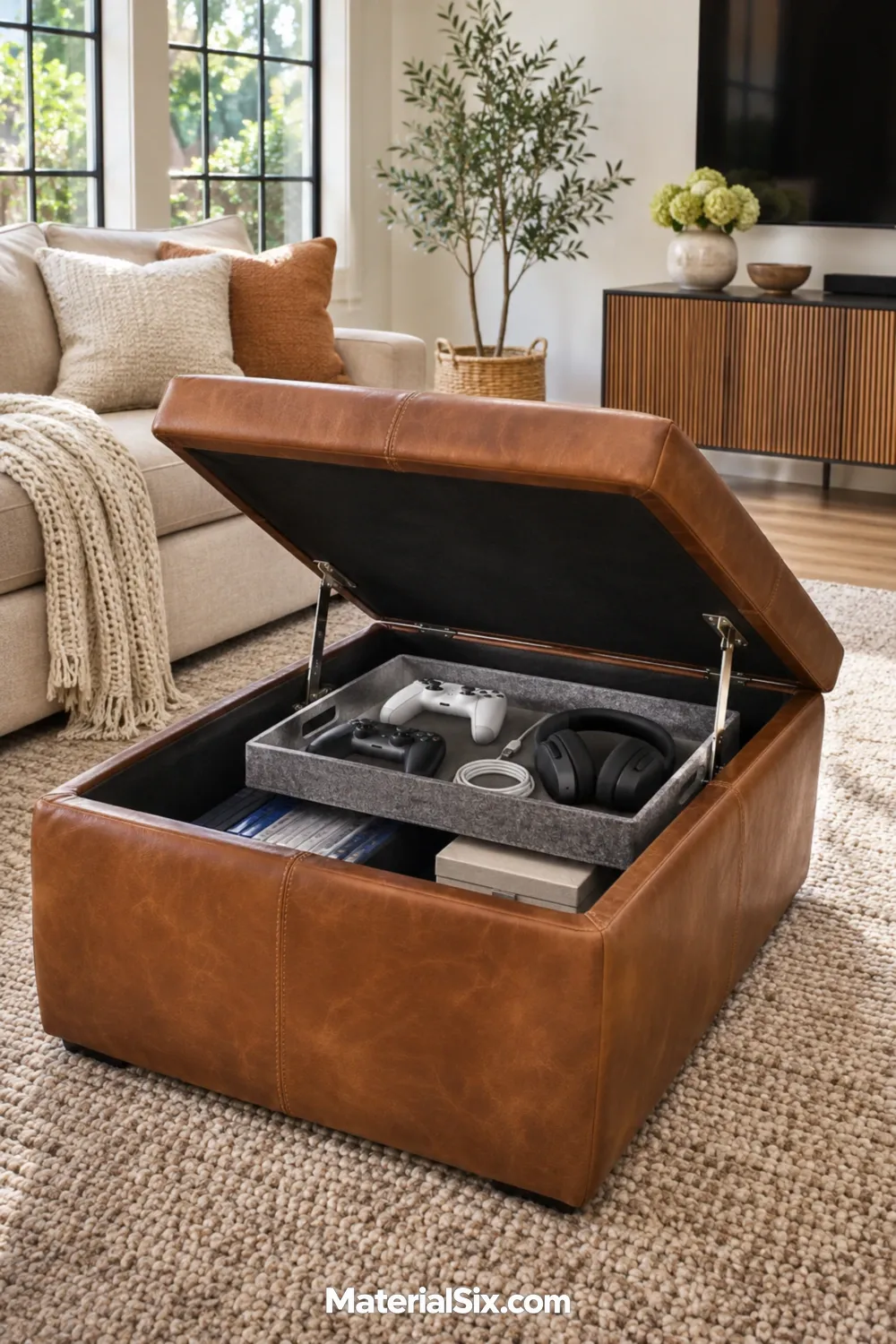
An upholstered or leather storage ottoman puts the cleanup spot directly where gaming happens. A removable tray inside keeps controllers and a headset from disappearing under throws, while the space beneath can hold game cases. Closed, the piece returns to its familiar role as a footrest.
Look for a lid mechanism you can operate comfortably and an interior large enough for your actual gear. Use it for cool, inactive accessories; operating consoles and charging equipment need appropriate ventilation elsewhere. If the ottoman replaces your coffee table, add a stable removable tray for drinks. Leave enough floor space around it to open the lid without shifting the whole seating arrangement.
7. Create a Charging Station Inside a Side Table
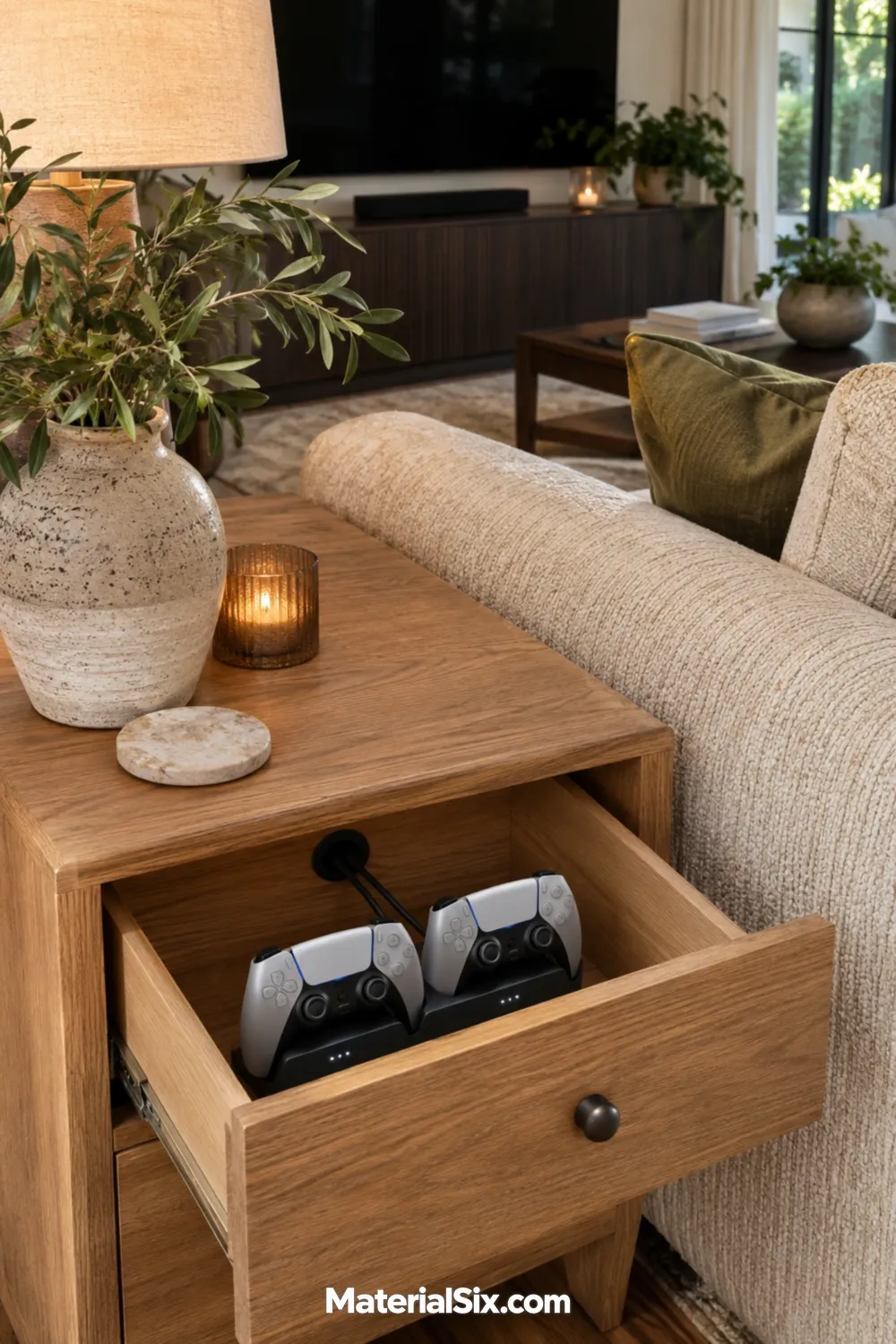
A side-table charging drawer solves the recurring search for a controller just before you sit down. In the pictured arrangement, a fitted dock holds two controllers upright, and a rear cable opening keeps the cord out of the seating area. The wood finish connects the practical station to the rest of the room.
Use compatible charging equipment and check its ventilation requirements before deciding whether it can operate inside a drawer. Keep the drawer open during charging if required, or move the dock onto the tabletop. Measure the drawer’s interior height with the controllers seated on the dock; the advertised furniture dimensions will not tell you whether they fit.
8. Use a Large Rug to Define the Play Zone
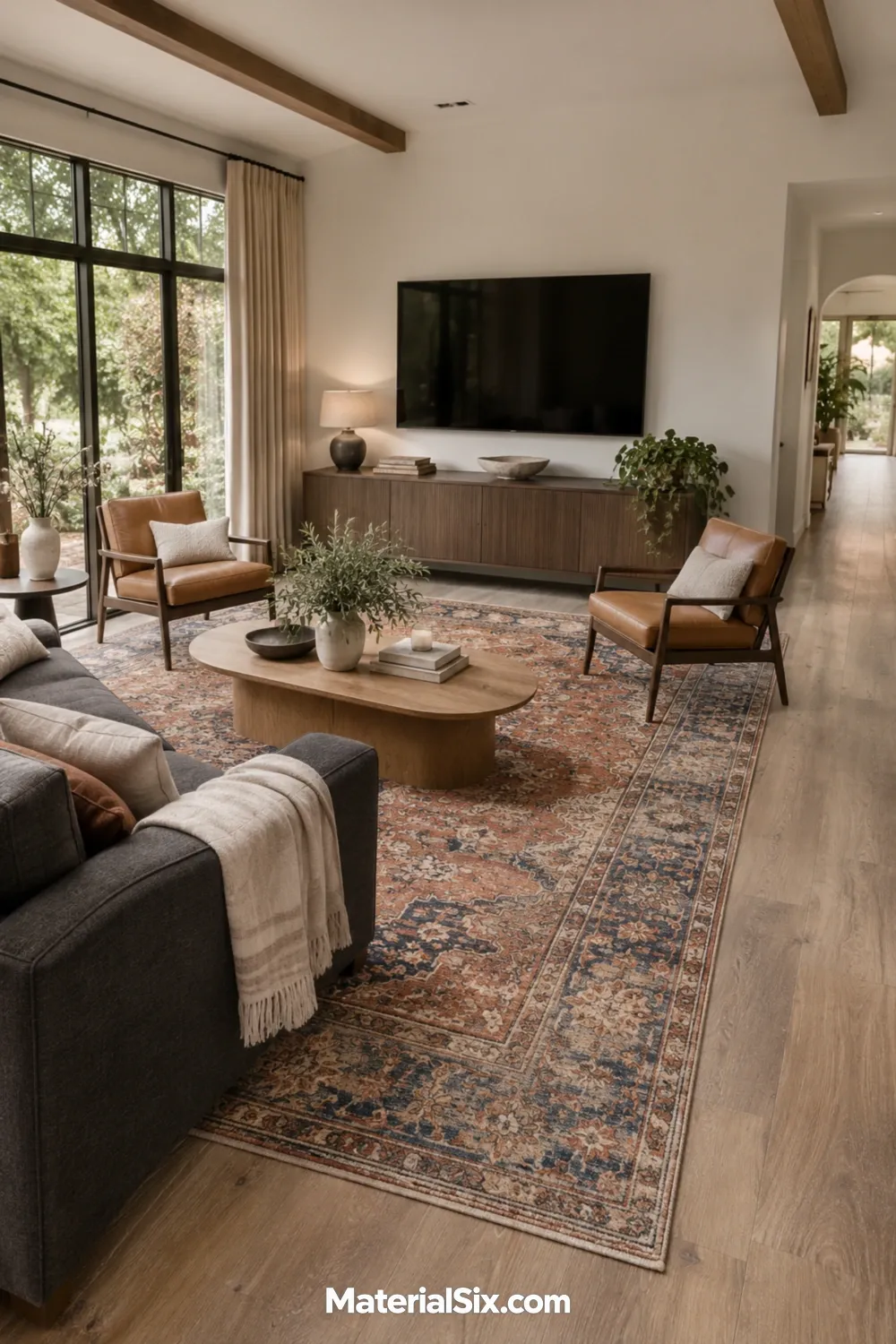
The rug does much of the visual organizing in a living room with several seats and a large screen. A faded rust-and-indigo pattern brings movement to plain upholstery, while one generous footprint ties the sofa, chairs, and coffee table together. It can also make little daily crumbs less immediately noticeable than a solid pale surface.
Tape out the proposed rug size before ordering. Aim to catch at least the front legs of the main seats rather than leaving a small rectangle floating beneath the table. Keep the edge out of a busy doorway, and use an appropriate rug pad. Choose a pile height your vacuum and furniture can comfortably handle.
9. Choose a Lounge Chair That Belongs in the Room
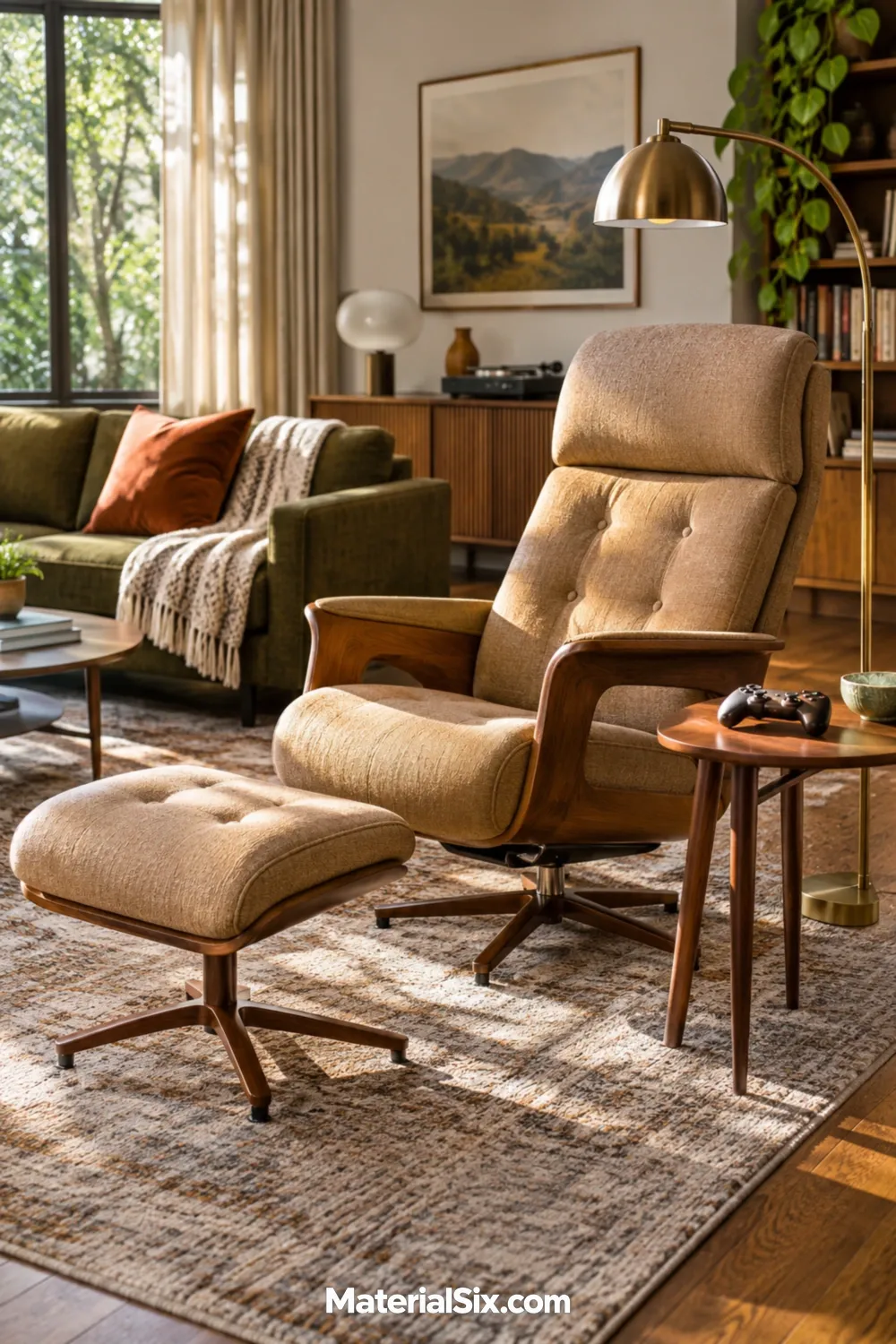
A lounge chair with upholstered arms, a supportive back, and a separate footstool can become your favorite gaming seat without changing the room’s style. Tan fabric and walnut details work especially well with an olive or cream sofa. A small table beside the chair gives the controller a landing place.
Comfort is personal, so sit in the chair in the position you actually use to play before committing. Check the TV angle, neck position, and clearance with the footrest extended. A dramatic reclining profile may consume more space than it first appears to. Keep the lamp and side table reachable without blocking the chair’s moving parts.
10. Let Curtains Handle Screen Glare
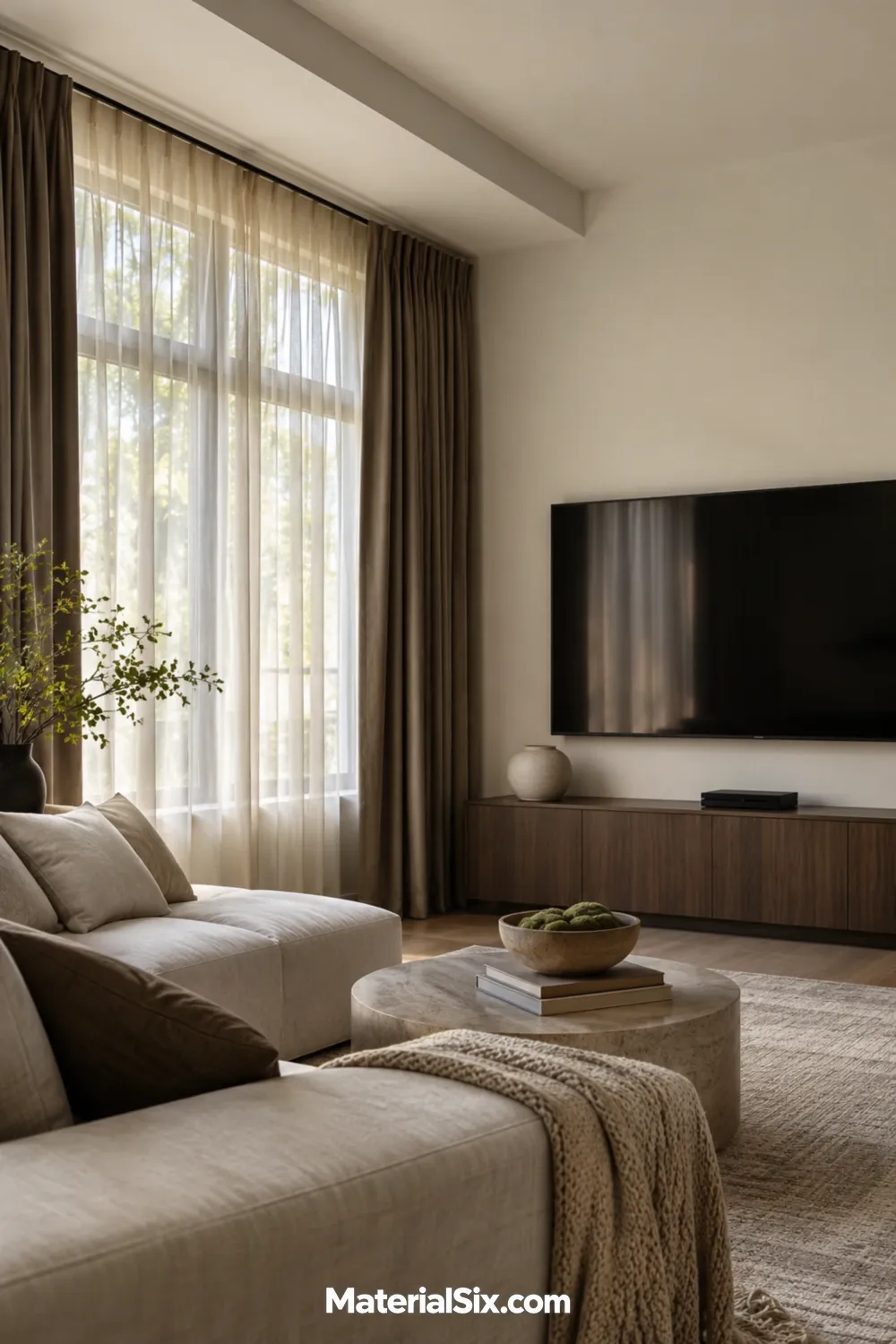
Window treatments are part of the setup when afternoon reflections keep crossing the screen. Sheers soften daylight for everyday use; heavier outer drapes give you another level of control during a game. Full-length fabric also makes a TV wall feel less dominated by hard surfaces.
Watch the room through the hours when you normally play before choosing curtain opacity. You may need room-darkening panels at a bright west-facing window, while another room only needs lined linen. Extend the rod so the panels can stack away from the glass when open. Check that the fabric clears vents and does not crowd the media cabinet or nearby equipment.
11. Soften the Room With Acoustic Wall Art
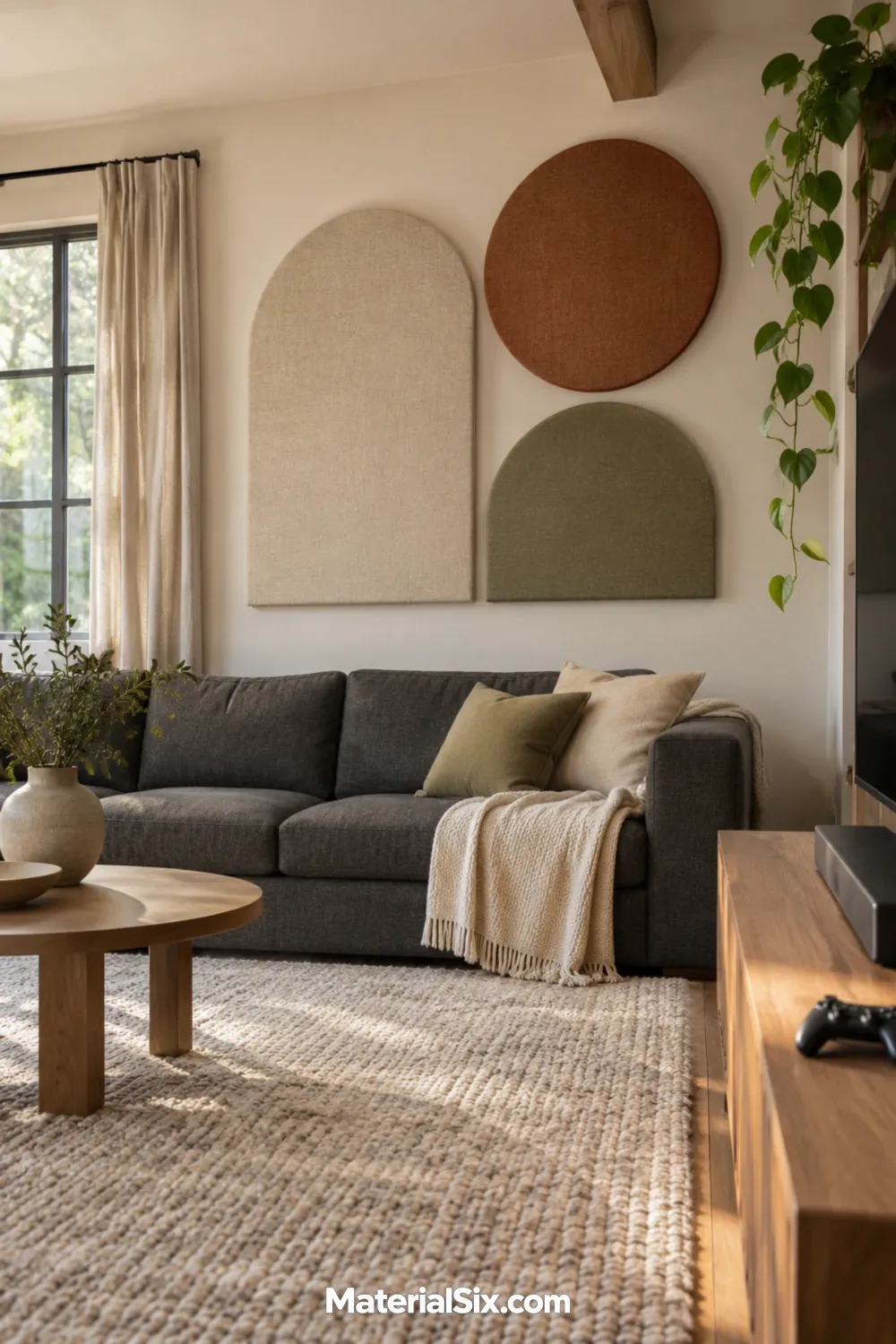
Fabric-covered wall panels can look like a deliberate art grouping rather than exposed studio foam. Oatmeal, clay, and muted olive rectangles add a soft geometric rhythm behind the sofa. Paired with curtains and a rug, they introduce texture that contrasts with glossy screens and metal equipment.
Use panels intended for acoustic absorption if that is your goal; ordinary fabric art does not offer a predictable acoustic result. Placement, construction, and the room itself affect performance, and absorption is different from soundproofing for neighbors. Start with a small coordinated grouping, follow mounting instructions, and avoid covering outlets or ventilation. You can keep the visual effect calm even when the games are loud.
12. Build a Two-Person Couch Gaming Setup
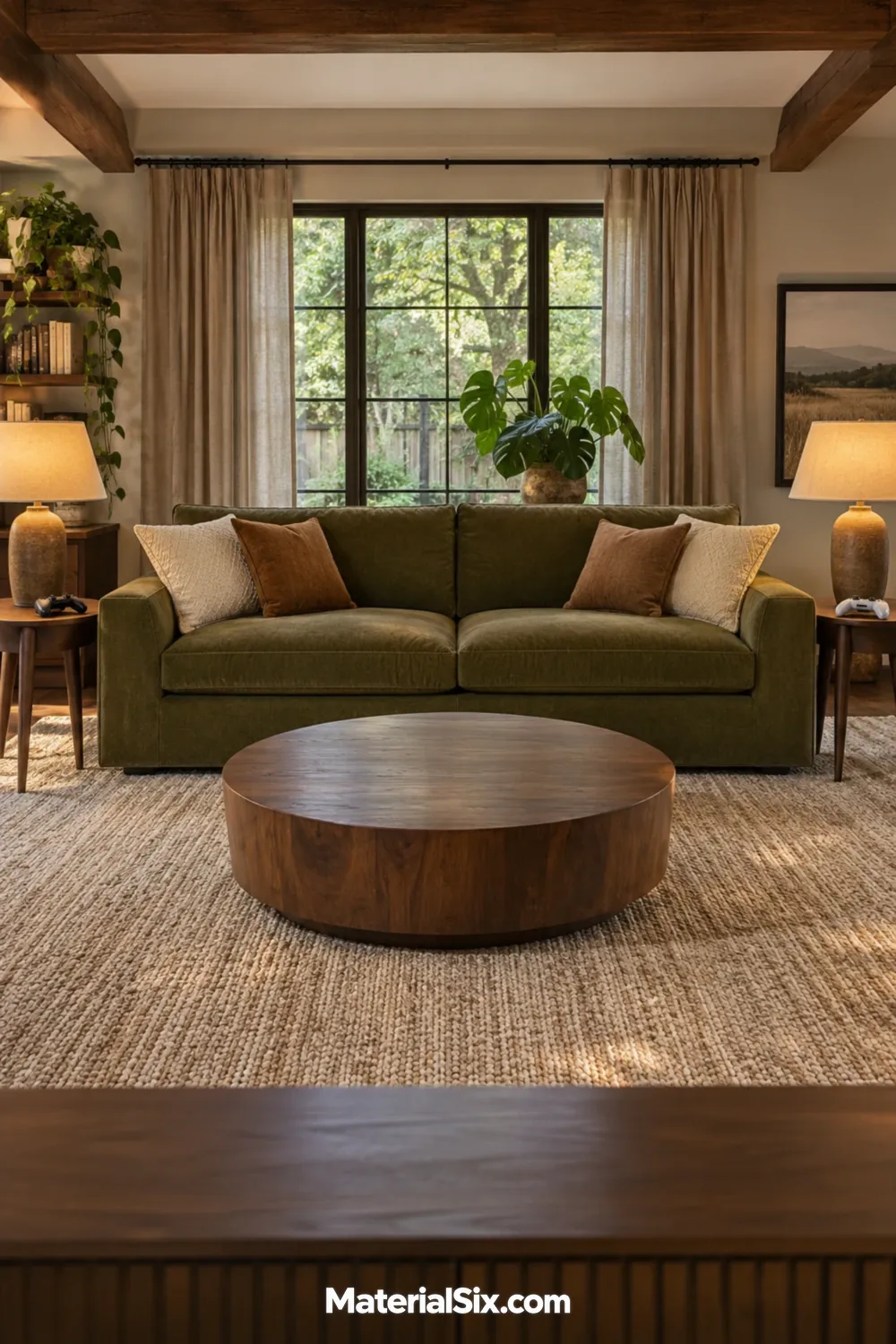
For couch co-op, the useful upgrade may be two reachable side tables rather than a larger television. A controller spot at each end of the sofa means both players can settle in without balancing gear on cushions. Matching lamps give the arrangement a sense of symmetry even if the tables are different.
Test the view from both seats, including any reflections and off-center screen visibility. Leave a shared coffee-table surface for snacks, and avoid routing charging cords across the floor between players. If one person prefers a footstool, choose a movable piece that can tuck aside. The setup should still support a conversation when the game ends.
13. Bring Retro Gaming Into a Wood Cabinet
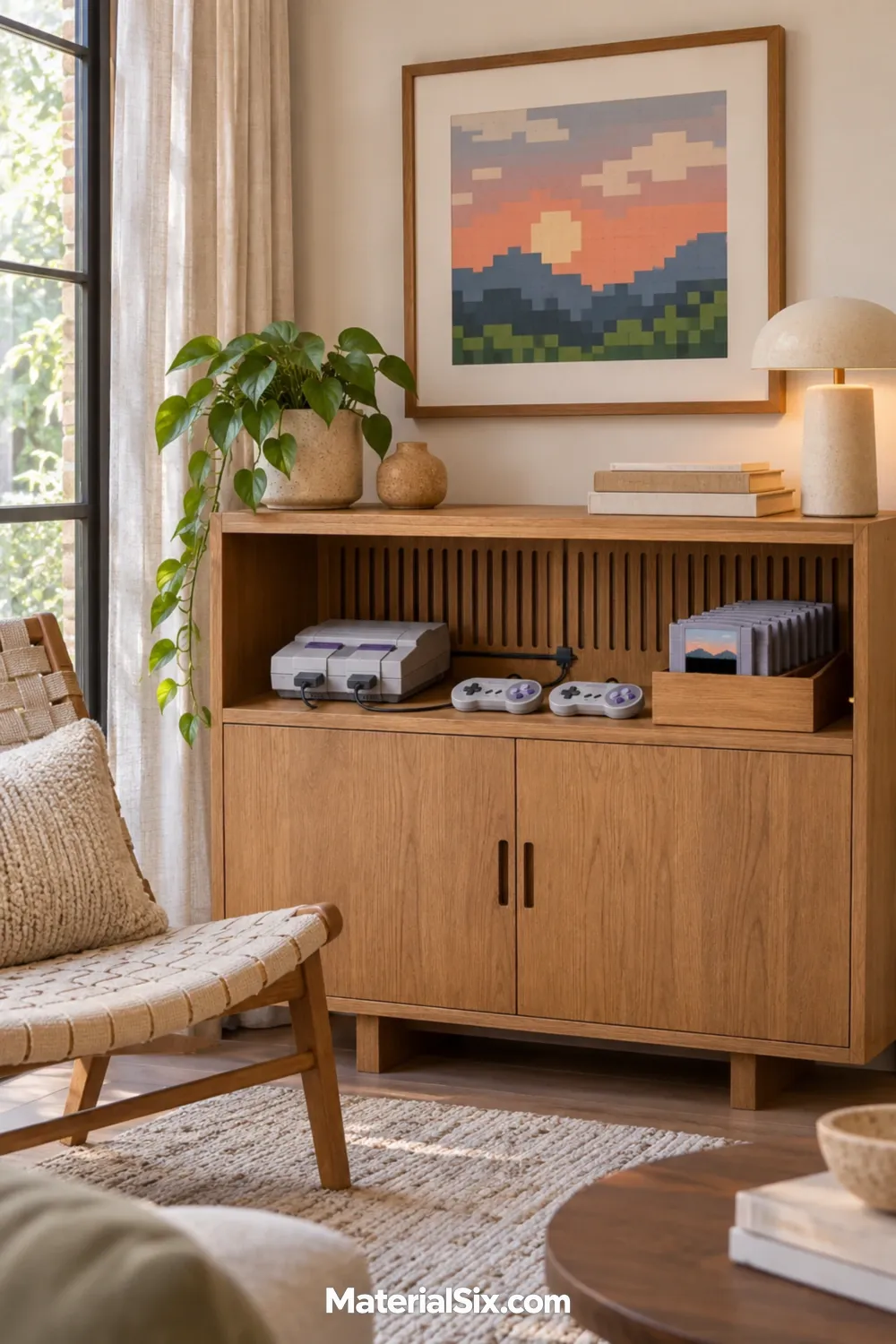
Older gaming hardware has its own visual charm: compact gray boxes, simple controllers, and neatly aligned cartridges. An oak cabinet gives those shapes a warm backdrop, while a divided tray keeps the smaller pieces orderly. One original pixel-inspired print above can finish the corner without turning it into a themed installation.
Make room for real connections before arranging the display. Older controllers may have short cords, and adapters need their own space. Keep working equipment on an accessible, ventilated shelf rather than buried behind decorative objects. Separate the hardware you play from pieces you only display, and put loose cartridges where they can be retrieved without disturbing the entire shelf.
14. Tuck a Compact Desk Behind the Sofa
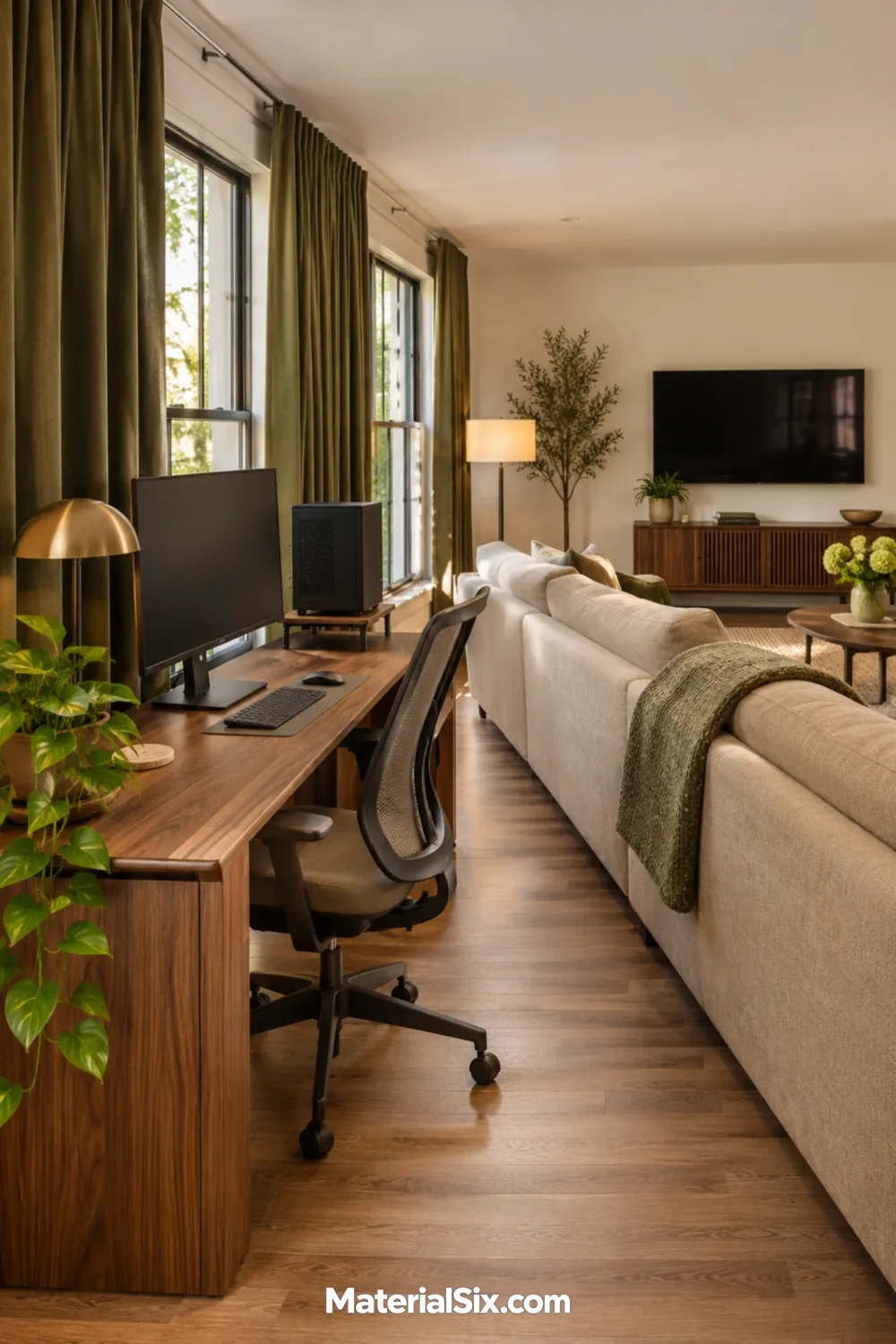
A compact desk behind the sofa can let PC gaming share the living room without becoming its central feature. Walnut furniture and a plain monitor help the workstation read as part of the room. The arrangement works best when the sofa’s back provides a gentle visual boundary.
Measure with the chair pulled out, not only pushed under the desk. You need room to sit, stand, and pass without squeezing between furniture. Place the tower where its intake and exhaust remain clear, and gather cables along the desk’s rear edge. If the aisle feels tight in a taped floor layout, try a side-wall desk instead of forcing this configuration.
15. Add a Pull-Down Projector Screen
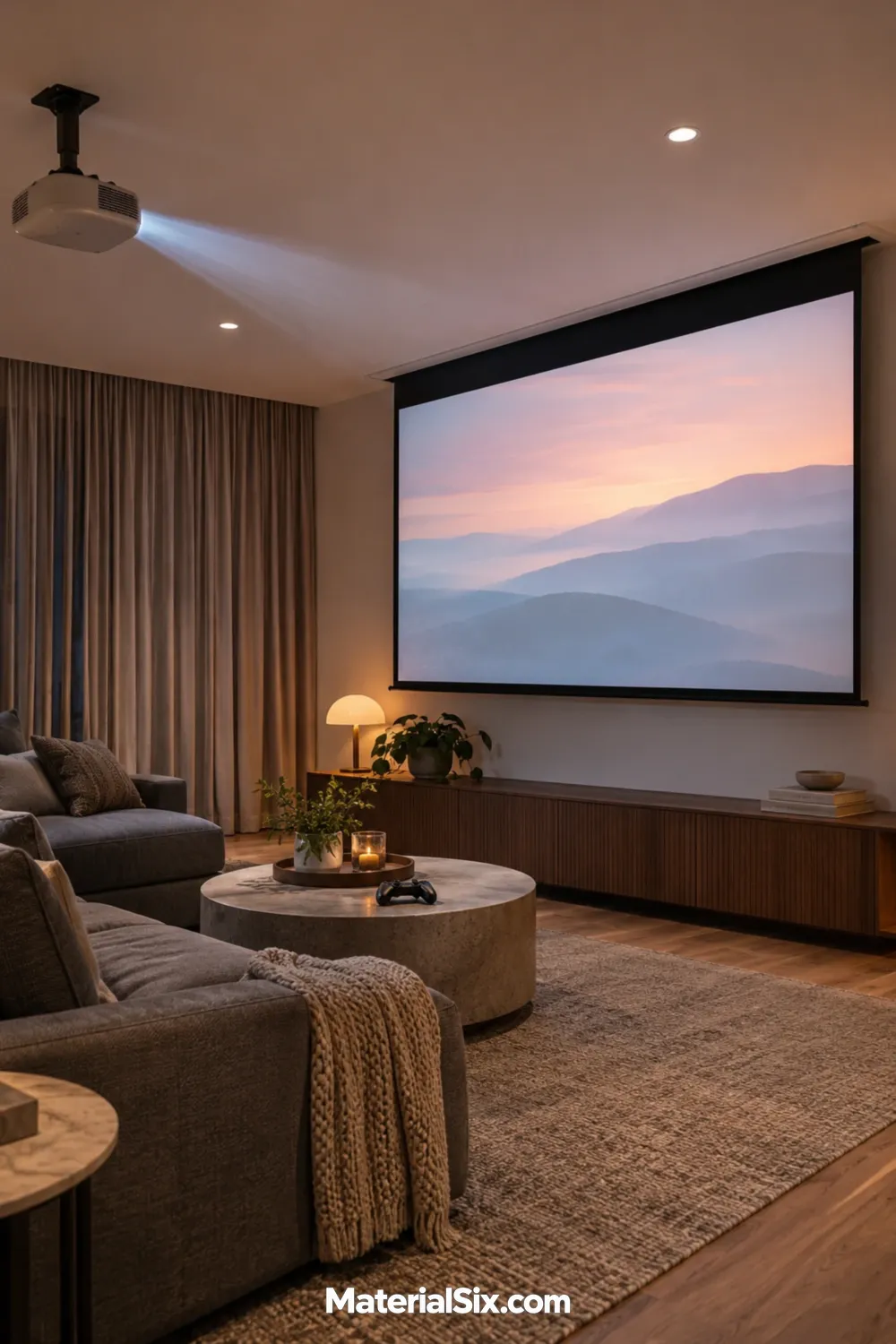
A retractable projector screen gives the wall a different role when play is over. Lower it for an evening session, then roll it away so art, architecture, or a plain wall can take visual priority again. The room can feel less permanently arranged around a black screen.
Plan the projector and screen together before choosing either. Throw distance, mounting position, ambient light, and input lag all affect whether the setup suits your games. Check those requirements against the actual room and equipment specifications. Leave the projection path clear of hanging lights and walking routes, and make sure the screen lowers without hitting furniture. Darker curtains may matter more than another decorative accessory.
16. Repeat One Accent Color Across the Room
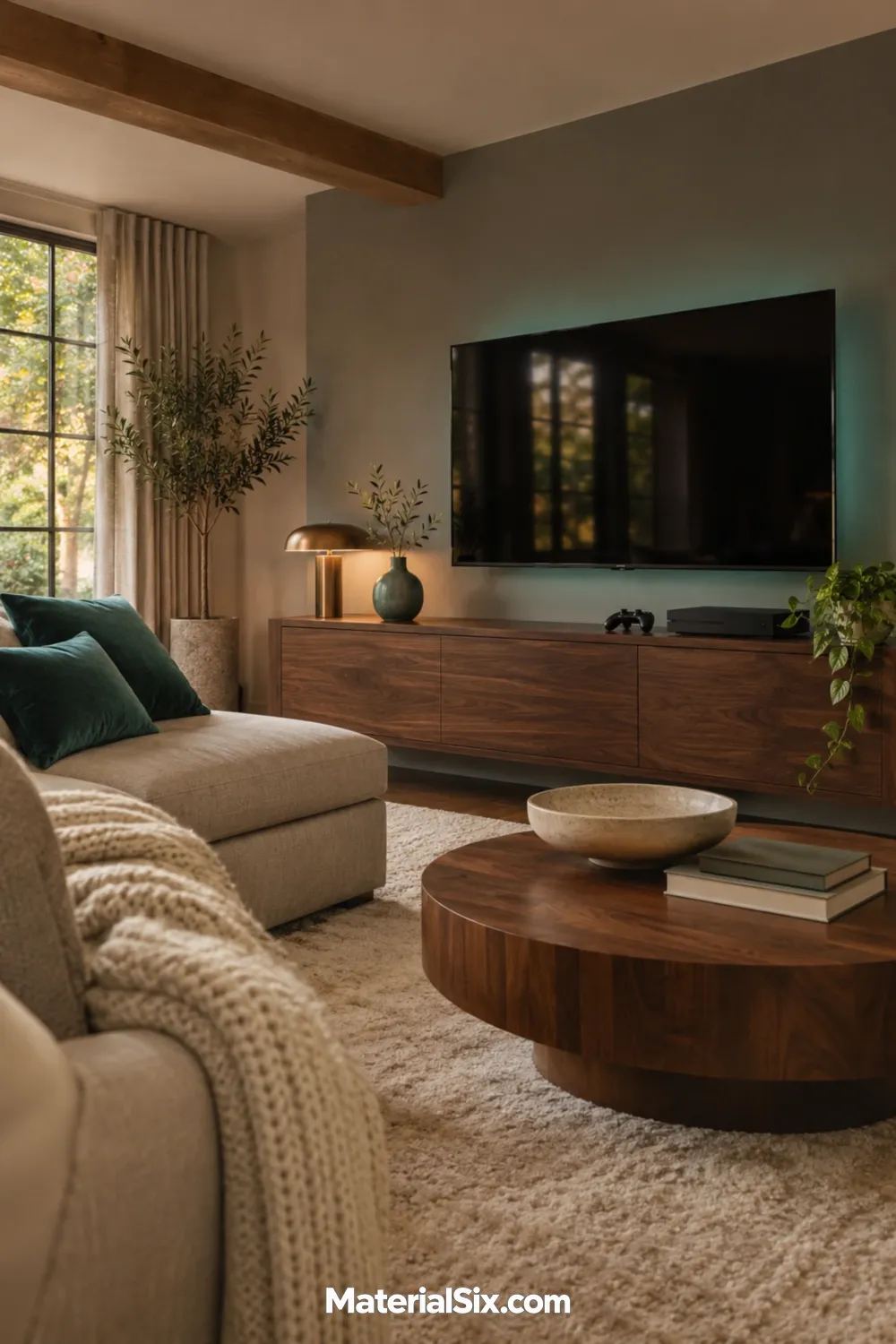
One repeated color can connect the gaming setup to the sofa instead of leaving it visually separate. Muted teal works here in cushions, a small vase, and a restrained light behind the television. The walnut cabinet and cream rug provide a steady backdrop so the accents do not compete.
Choose the color from something you already own, such as artwork or upholstery, before buying more accessories. Repeat it in a few different textures rather than matching every object exactly. If the screen glow makes the fabric look harsh at night, lower its intensity or switch it off. The cushions should still make sense in daylight.
17. Mix Game Storage With Books and Baskets
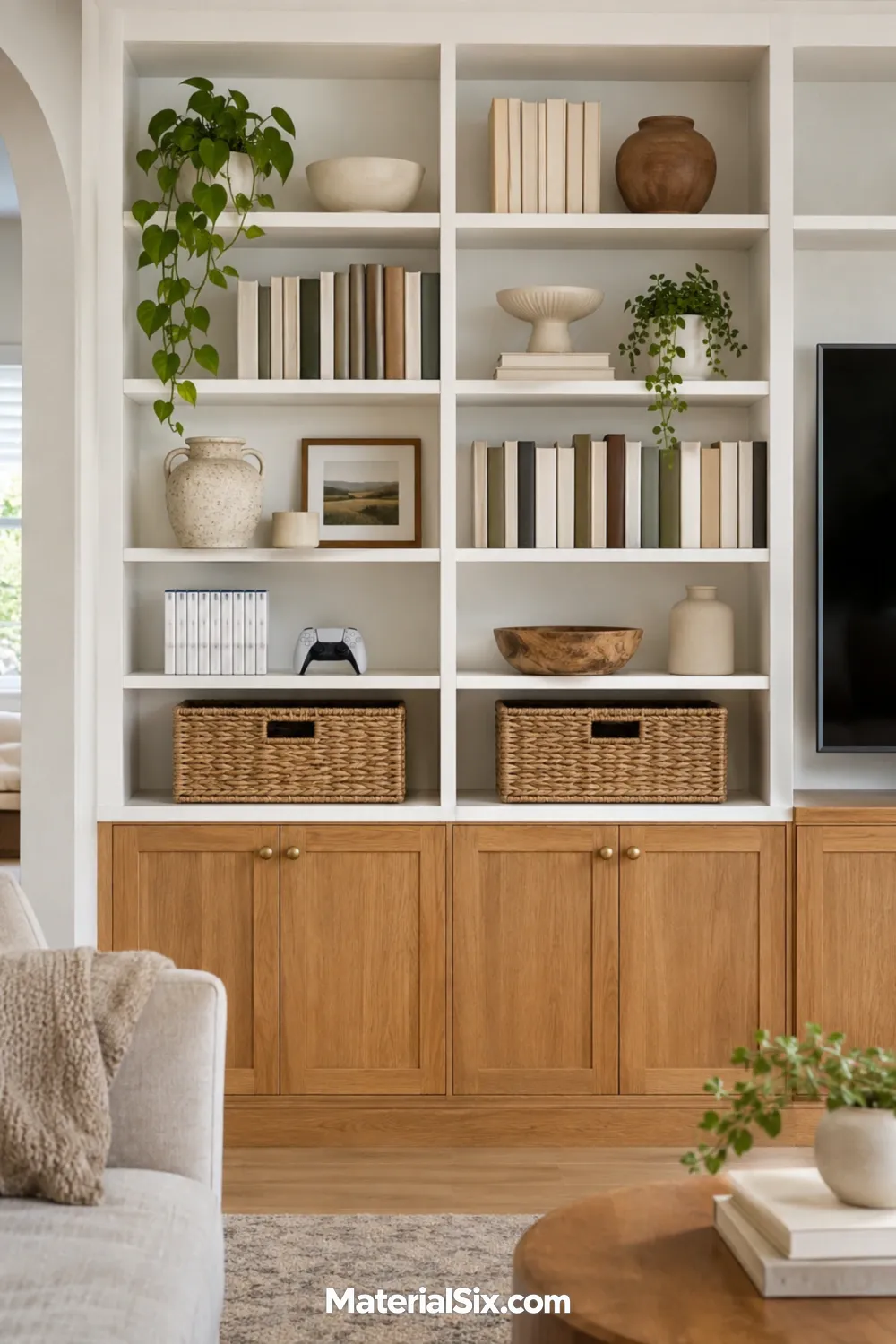
Bookshelves can accommodate game cases without becoming a wall of packaging. Break a short row with books, a ceramic object, or an empty section, then use baskets below for loose accessories. Repeating a basket material helps mixed storage look more deliberate.
Measure the game cases before selecting cubbies, and keep frequently used titles at a comfortable height. Baskets work well for inactive controllers and cables, but they are not enclosures for operating electronics. Leave those devices in appropriate ventilated locations. If cases vary dramatically in color, place the busiest group together instead of scattering it across every shelf. That gives your eye a quieter place to land between collections.
18. Use a Lift-Top Coffee Table for Flexible Play
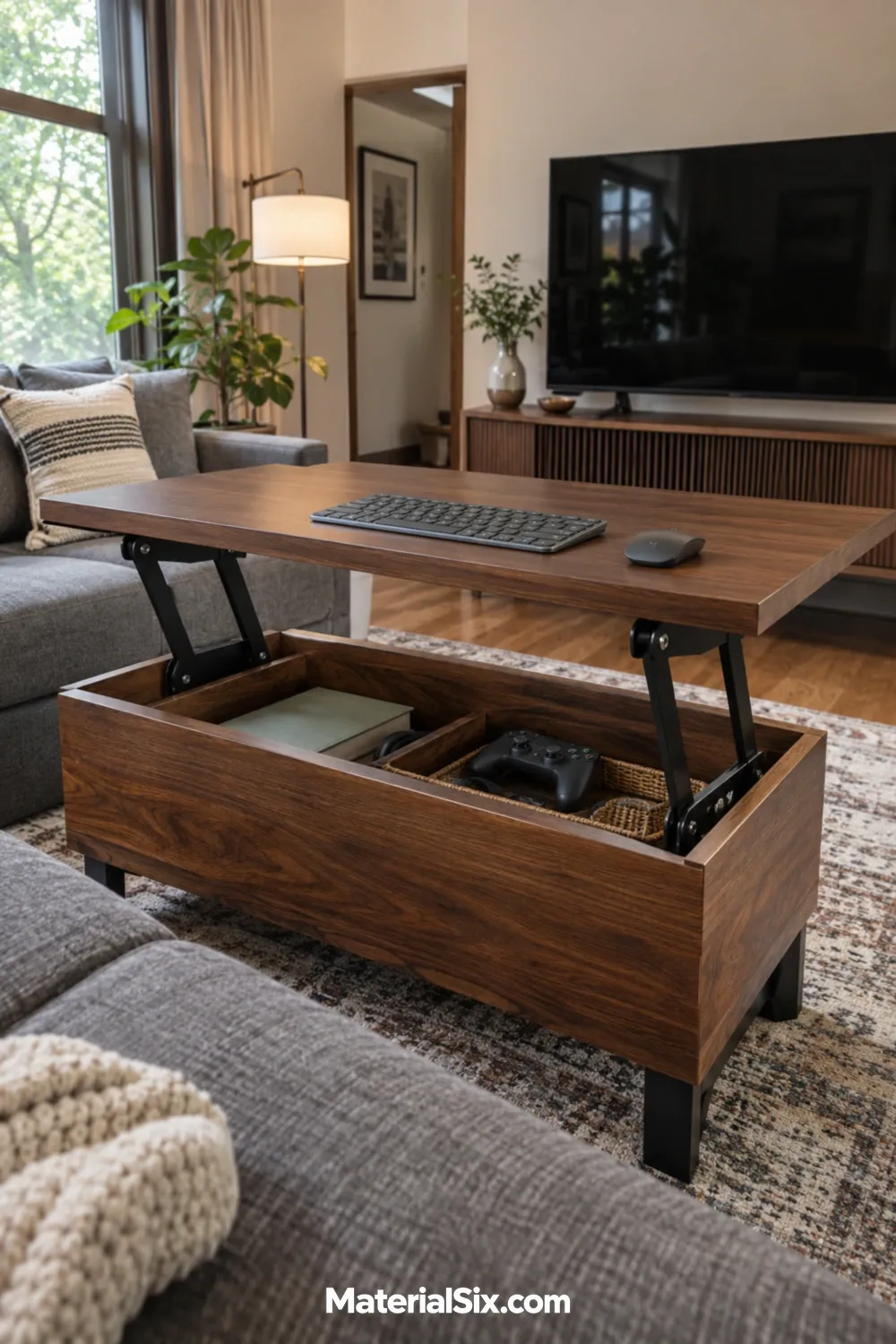
A lift-top coffee table can bring a wireless keyboard and mouse closer to the sofa without adding a permanent desk. The raised wood surface provides a temporary play or browsing spot, while the compartment underneath stores a controller when the table closes.
Check the opened height against your sofa cushions and knees, along with the manufacturer’s load limit. Some lift mechanisms are better suited to light tasks than leaning or heavy equipment. Keep fingers clear of hinges, and close the top before using it as an ordinary coffee table. For longer PC sessions, a separate desk and adjustable chair may offer more flexibility than this occasional-use arrangement.
19. Finish With Warm Lamps and Greenery
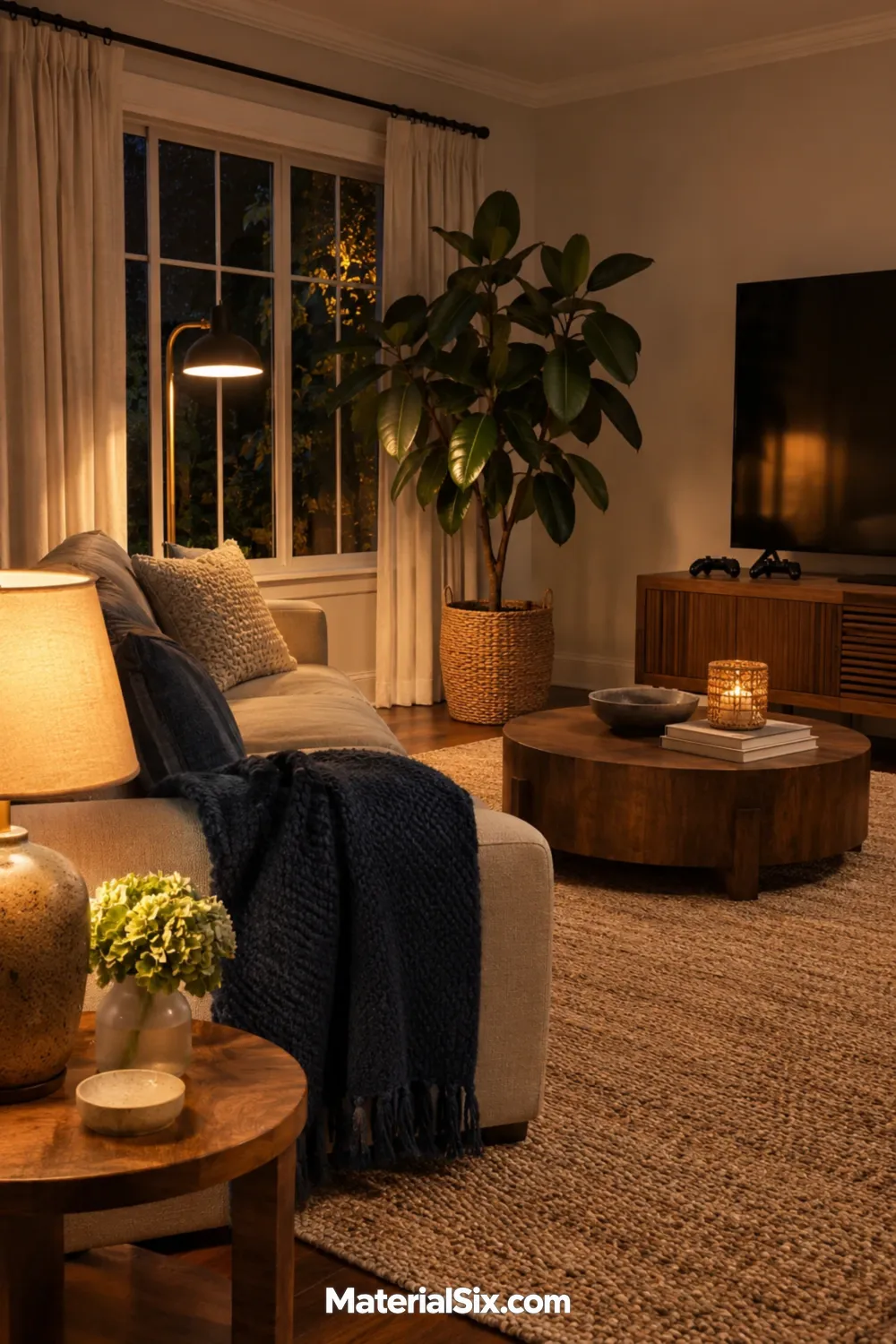
The last layer can be as simple as a shaded lamp and a leafy plant. Warm pools of light around the sofa give the eye somewhere to rest beyond the television, while greenery brings an irregular shape to a room full of rectangles. A textured throw makes the seating feel inviting before anyone picks up a controller.
Put lamps where their bulbs do not reflect directly in the screen from your usual seat. Choose plants for the window light you actually have, and keep watering away from electronics and outlets. You do not need greenery on every surface. One substantial plant often looks calmer than several small pots crowding the media cabinet.
Choose a Combination That Fits How You Play
Start with the problem you notice most often. If accessories collect on every surface, pair a media console with one nearby controller station. If the room feels harsh after dark, work on lamps and window treatments before adding more colored lighting. You do not need all 19 ideas in one living room.
For a console-focused space, combine a ventilated equipment location, comfortable seating, and a clear screen view. For a PC corner, give chair movement and desk depth priority before choosing decorative accessories. Shared rooms benefit from an arrangement that lets everyone sit comfortably and keeps the path through the room open.
Use this order to keep decisions manageable:
- Measure furniture, hardware, and the clearances required by their manufacturers.
- Test the layout with tape, including the space occupied by an open drawer or extended footrest.
- Choose one wood tone or accent color to repeat in a few places.
- Add the storage closest to where the accessory is used.
- Live with the arrangement before buying the finishing pieces.
Look at the room with the screen off, too. If the furniture, art, and lighting still feel connected, the gaming setup is becoming part of a living room you can enjoy throughout the day.
Frequently Asked Questions
How do you make a gaming living room look adult?
Choose furniture in finishes that relate to your existing seating, limit the number of collectibles on display, and give accessories a designated home. Use framed artwork, lamps, and textiles to carry your personal style beyond the television wall.
Can you hide a game console inside a cabinet?
Only use a location that meets the console manufacturer’s ventilation and clearance requirements. Decorative doors and cable holes do not automatically provide enough airflow. An accessible open bay may suit the equipment better than a closed cupboard.
How can a small living room accommodate PC gaming?
Consider a compact desk along a side wall or behind the sofa if there is enough chair clearance. Measure the setup with the chair in use and leave the tower’s vents clear. A lift-top table can serve lighter occasional tasks, but it does not replace an adjustable workstation for everyone.
Do you need colored lights for a gamer living room?
No. Warm lamps, controlled window light, and an optional low-intensity TV backlight can create a comfortable atmosphere. If you enjoy a colored glow, repeat a related tone in a cushion or artwork and keep the effect adjustable.
What should you update first on a limited budget?
Start by rearranging what you own and collecting loose accessories into a nearby tray or existing drawer. Test lamp placement, edit crowded shelves, and check screen glare before committing to larger furniture changes. Let the most persistent daily inconvenience guide the first purchase.
Start With One Better Gaming Evening
Pick one change that makes your next session easier: a reachable controller spot, a lamp that does not reflect in the screen, or a chair angle that feels more natural. Once that works, add the visual detail you are most excited about. A grown-up gaming living room can show your interests clearly while still leaving room for everything else you do at home.